Here's a clear and professional summary of Alfen’s Eve Connect v1.4.6, optimized for users, installers, and support teams:
✅ Alfen Eve Connect – Version 1.4.6 | Released: November 11, 2024
Take full control of your home electric vehicle (EV) charging and solar energy usage with Alfen’s Eve Connect – the smart, sustainable way to power your EV. Whether you're maximizing solar self-consumption, optimizing charging schedules, or tracking performance for reimbursements, Eve Connect puts you in charge.
🔋 Key Features:
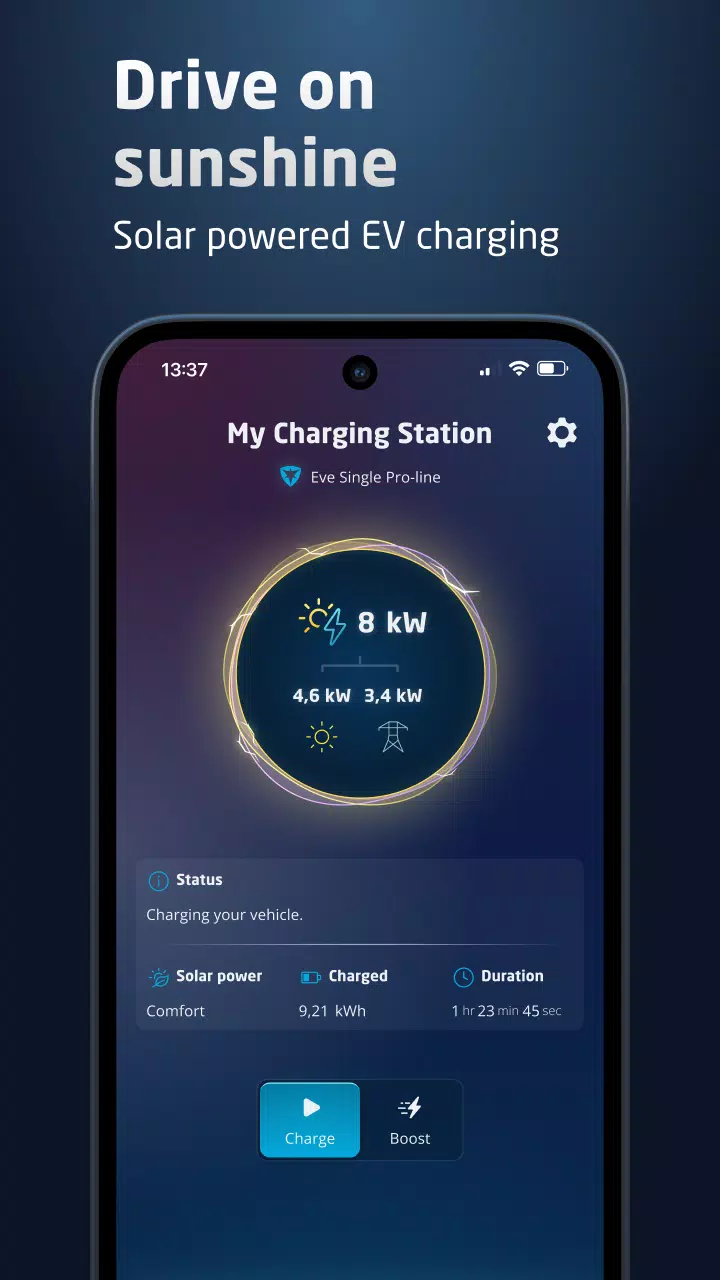
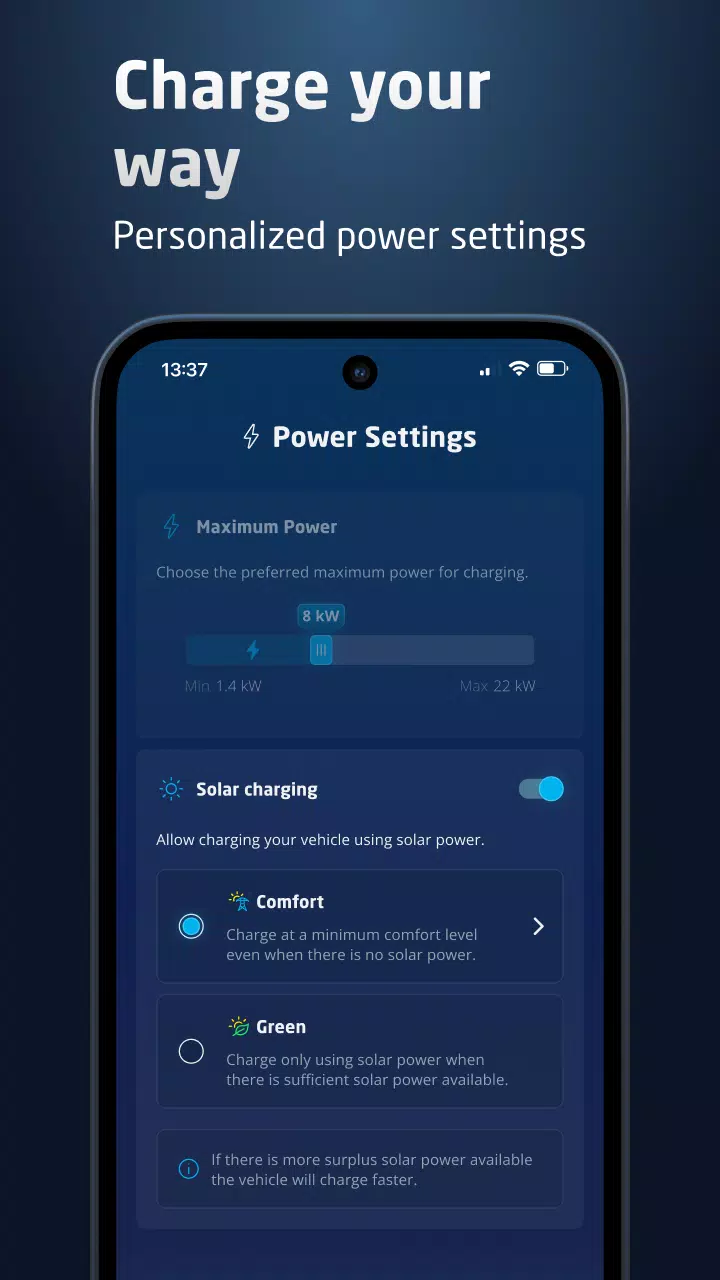
- Smart Solar Charging: Automatically prioritize solar energy to charge your EV — reduce grid dependence and lower your carbon footprint.
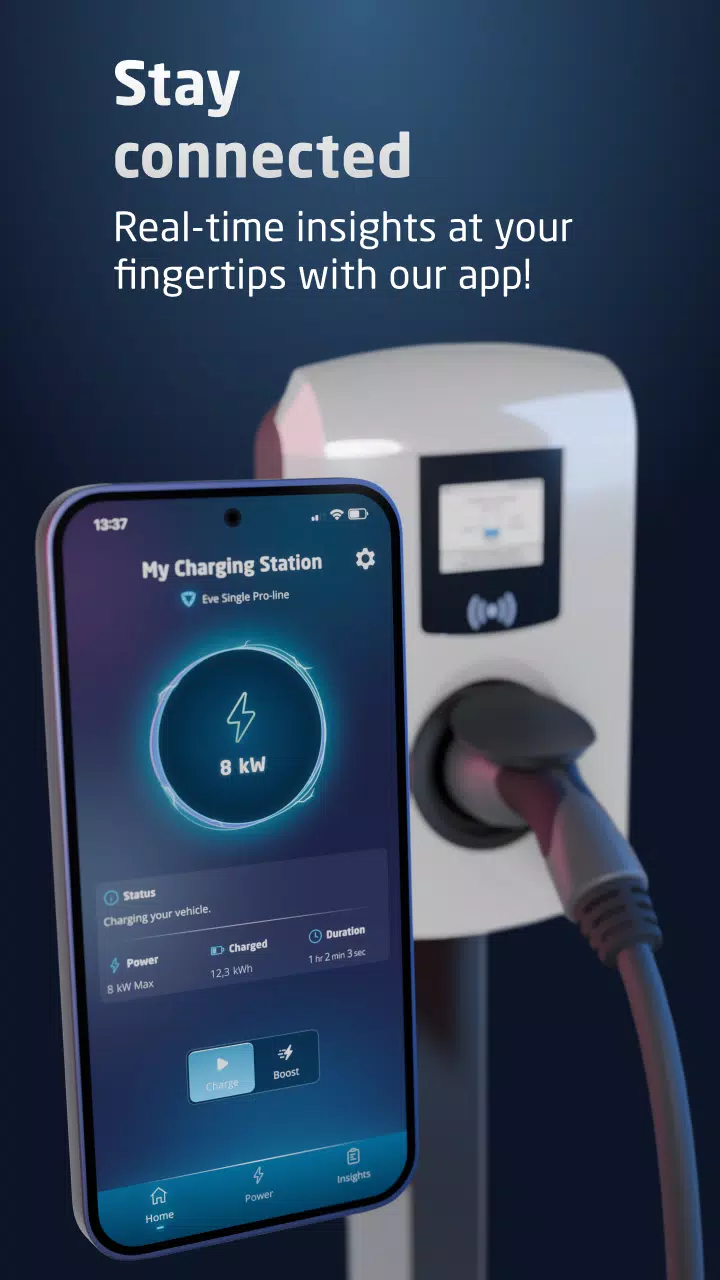
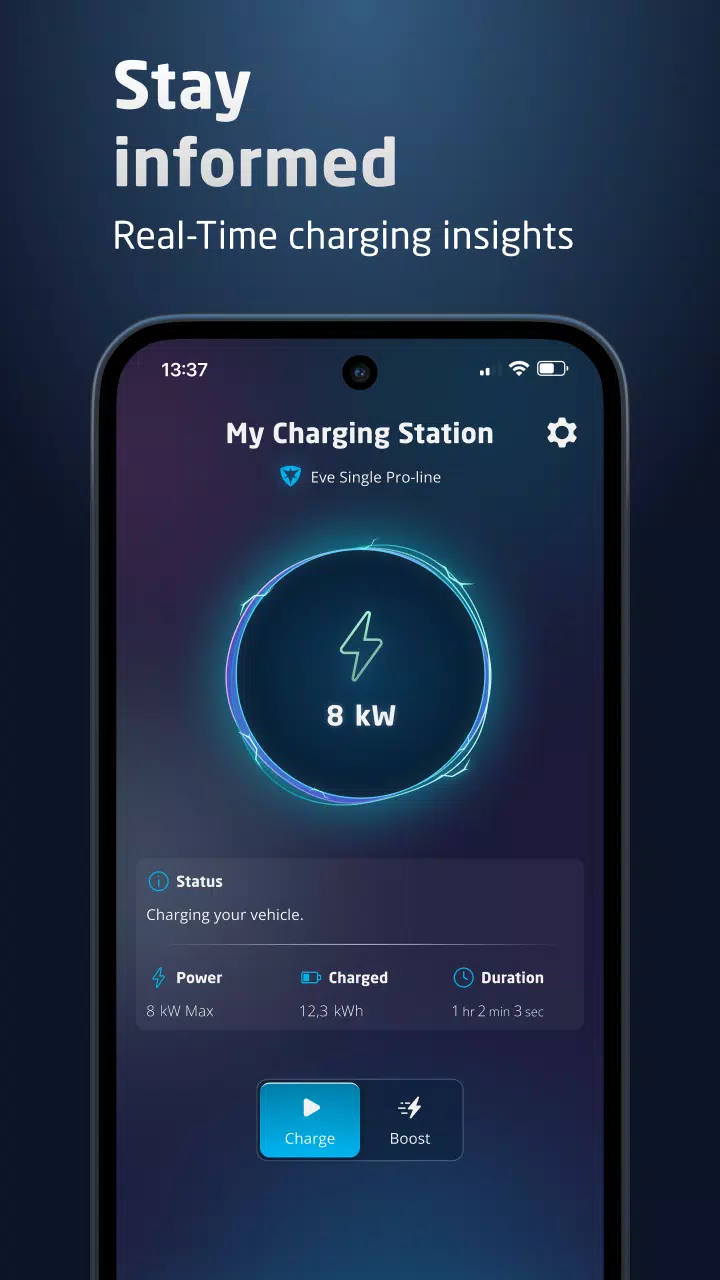
- Live Monitoring: View real-time charging data including power output, energy consumed, and charging status.
- Charging History & Export: Track past sessions and export detailed logs for tax benefits, company reimbursements, or energy reporting.
- Remote Management: Control and monitor your charging station from anywhere via smartphone or tablet (when connected to the same local network).
- Energy Efficiency: Leverage Active Load Balancing (ALB) to optimize energy use across multiple devices (e.g., EV charger + home appliances), ensuring maximum solar utilization.
📌 Requirements for Use:
Ensure your setup meets the following prerequisites:
- Compatible Charging Stations:
- Alfen Eve Single S-line
- Alfen Eve Single Pro-line
- Firmware Version:
- NG Firmware 6.3 or newer (required for full functionality)
- Network Setup:
- Charging station must be connected to your home network via Ethernet cable (Wi-Fi not supported for setup or remote access)
- Mobile device and charging station must be on the same local network
- Initial Setup:
- Default login password required during initial configuration (check device manual or label for credentials)
- Required License:
- Active Load Balancing (ALB) License – Mandatory for solar charging and smart load management functionality
⚠️ Note: Without the ALB license, solar charging and advanced energy optimization features will be disabled.
🛠️ What’s New in v1.4.6?
This update improves usability, performance, and compatibility:
- ✅ Flexible Scheduling:
Schedule time slots consecutively across days — no more 15-minute gap requirement between sessions. - ✅ Enhanced UI Scaling:
Better display support for users with high zoom settings (e.g., accessibility features on tablets and smartphones). - ✅ Performance Optimizations:
Improved app stability and background processes ahead of upcoming firmware releases. - ✅ Bug Fixes:
Resolved minor issues related to session export, login timeouts, and interface responsiveness.
📱 How to Get Started
- Update your Eve charging station to NG Firmware 6.3+
- Connect via Ethernet to your router
- Download Eve Connect app from the App Store or Google Play
- Open the app, select your charging station on the local network
- Enter default login password (provided with device)
- Activate ALB license (if not already done)
- Start scheduling, monitoring, and optimizing your solar-powered charging!
🌱 Become a Green Energy Champion
With Eve Connect, you’re not just charging your EV — you’re powering it cleanly, efficiently, and sustainably. Maximize solar use, reduce electricity costs, and contribute to a greener future — all from your smartphone.
💡 Pro Tip: Use the new consecutive scheduling to align charging with peak solar generation and off-peak electricity rates for maximum savings.
For support, firmware updates, or license management, visit:
https://www.alfen.com | Eve Connect Support Portal
Let your energy choices make a difference.
Charge Smart. Charge Clean. Charge with Eve Connect. ⚡🌍
Version 1.4.6 | Last Updated: November 11, 2024
Etiquetas : Auto y vehículos